

7 Ways Ergonomic Phone Holders Help Parents Multitask
Over half of British parents admit their smartphones cause daily aches and pains during busy routines. With so much multitasking from kitchen to school runs, prolonged device use often leaves necks and shoulders stiff by evening. Smart ergonomic phone holders can change everything by supporting healthier posture and reducing strain where it matters most, making every moment at home or outdoors more comfortable and productive for your family.
Table of Contents
- 1. Understand How Ergonomic Phone Holders Prevent Strain
- 2. Choose the Right Phone Holder for Home Use
- 3. Pick Portable Holders for Life on the Move
- 4. Set Up Adjustable Angles for Better Comfort
- 5. Keep Devices Secure with Stable Base Designs
- 6. Opt for Holders with Easy Charging Access
- 7. Maintain Good Posture with Holder Placement Tips
Quick Summary
| Takeaway | Explanation |
|---|---|
| 1. Use Ergonomic Phone Holders | Ergonomic holders reduce muscle strain by supporting proper device positioning, promoting better posture while multitasking. |
| 2. Ensure Adjustability and Stability | Select holders that can adjust heights and angles, and provide a stable base to prevent falls during daily activities. |
| 3. Choose Portable Options | Lightweight, compact holders enhance convenience, allowing parents to stay connected while managing various activities on the go. |
| 4. Maintain Charging Accessibility | Opt for phone holders with unobstructed charging ports and cable management to ensure easy access during use. |
| 5. Place Holders for Good Posture | Position phone holders at eye level and within arm’s reach to minimise physical strain and promote better body alignment. |
1. Understand How Ergonomic Phone Holders Prevent Strain
Parents juggling multiple tasks know the physical toll of constant smartphone use. Modern phone habits often lead to awkward postures that strain muscles and joints, causing discomfort and potential long-term health issues. Ergonomic phone holders offer a critical solution by transforming how we interact with our devices.
The Health and Safety Executive guidelines highlight that inappropriate device positioning can trigger musculoskeletal disorders. These disorders primarily affect the neck, shoulders, arms, and hands, resulting from repetitive movements and sustained unnatural positions. Ergonomic phone holders strategically address these challenges by providing adjustable, supportive positioning that reduces physical stress.
By elevating your smartphone to eye level, these holders prevent the dreaded “tech neck” phenomenon where users constantly tilt their heads downward. This simple adjustment can significantly reduce neck and shoulder strain, distributing weight more evenly and minimising muscle tension. The World Health Organization recommends using assistive products like phone holders to minimise physical overloading during extended device use.
Moreover, ergonomic phone holders enable hands-free operation, allowing parents to maintain better posture while multitasking. Whether preparing meals, helping children with homework, or managing household tasks, these holders provide a stable, adaptable platform that keeps your device accessible without compromising your physical wellbeing.
Top Tip: Adjust your ergonomic phone holder to maintain a neutral spine position, keeping your device at eye level to minimise neck and shoulder strain.
2. Choose the Right Phone Holder for Home Use
Selecting the perfect phone holder for home use requires more than just aesthetic considerations. Parents need a versatile solution that adapts to their dynamic household environments and personal ergonomic needs.
The Health and Safety Executive highlights that effective phone holders must be designed with human factors in mind. This means considering individual physical capabilities, strength, and the specific tasks you will perform while using your device. A quality home phone holder should offer stability, easy adjustability, and compatibility with various spaces such as kitchen counters, living room tables, or home office desks.
Key Selection Criteria include:
Adjustability: Look for holders with multiple angle and height settings to accommodate different working positions and family members.
Stability: Ensure the base provides robust support without wobbling or sliding, especially in high traffic areas of your home.
Versatility: Choose a holder that can attach to various surfaces like tables, countertops, or even stand independently on different platforms.
Understanding your specific home environment is crucial. Ergonomic guidance from Northern Ireland’s Health and Safety Executive emphasizes matching device holders to individual physical requirements and daily routines. This means considering factors like your typical working height, reach distance, and the specific tasks you need to accomplish while using your smartphone.
Top Tip: Test your potential phone holder in multiple home settings and ask family members to assess its comfort and functionality before making a final purchase.
3. Pick Portable Holders for Life on the Move
Parents constantly navigate complex daily routines that demand seamless technological integration. Portable phone holders have emerged as essential tools for managing multiple responsibilities while staying connected and maintaining physical comfort.
The NHS highlights that lightweight and adaptable equipment can significantly improve everyday task management. A quality portable phone holder transforms how parents interact with technology across different environments from bustling kitchen counters to busy park benches.
Key Features of Excellent Portable Phone Holders:
Lightweight Design: Ensure the holder weighs less than 200 grams for easy transportation
Compact Folding Mechanism: Look for holders that collapse into small, easily packable formats
Universal Compatibility: Select holders that accommodate multiple smartphone sizes and models
The World Health Organisation’s Global Report on Assistive Technology emphasises that portable devices promote flexibility and enable users to multitask safely across various environments. This means choosing a phone holder that can adapt quickly whether you are preparing dinner, supervising children, or working remotely.
When selecting a portable phone holder, consider your most frequent activities. Parents require solutions that integrate smoothly into their dynamic lifestyles without adding unnecessary complexity.
Top Tip: Test potential portable phone holders by simulating your typical daily movements to ensure they provide genuine convenience and support.
4. Set Up Adjustable Angles for Better Comfort
Ergonomic phone holders with adjustable angles represent a game changing solution for parents seeking comfort during prolonged device usage. By enabling precise positioning, these holders transform how we interact with technology in our daily lives.
The Health and Safety Executive recommends using adjustable stands to maintain neutral joint positions and reduce musculoskeletal strain. This means creating a setup that allows your body to maintain a natural, relaxed posture while engaging with your smartphone.
Key Benefits of Adjustable Phone Holders:
Spine Alignment: Reduce neck and shoulder tension by positioning your device at eye level
Customisable Viewing: Adapt the holder to suit different activities like cooking, childcare, or work
Flexible Positioning: Switch between portrait and landscape modes effortlessly
Cambridge University Hospitals NHS Trust emphasises that adjustable features support better body alignment. This approach helps prevent long term physical stress by allowing users to modify their device positioning according to individual needs and specific tasks.
Parents can dramatically improve their device interaction by selecting holders with multiple pivot points. Look for models offering at least three angle adjustment options to maximise comfort and reduce physical strain.
Top Tip: Experiment with different angles and heights to find your most comfortable viewing position, and regularly change your setup to prevent static muscle fatigue.
5. Keep Devices Secure with Stable Base Designs
Parents navigating the complex world of multitasking need phone holders that offer rock solid stability. A secure base means the difference between smooth technological integration and potential device disasters.
The Health and Safety Executive emphasises that stable equipment bases are crucial for preventing accidental drops and maintaining safe interaction. A well designed phone holder acts as a reliable support system during your busiest moments.
Key Stability Features:
Wide Base Design: Ensure the holder has a broad contact surface to minimise tipping risks
Non Slip Materials: Look for bases with rubberised or textured gripping surfaces
Weight Distribution: Select holders that balance device weight evenly across their foundation
The HSE ergonomics guide recommends robust construction to support proper alignment and reduce potential workplace strain. For parents, this translates to phone holders that remain steadfast during cooking, childcare, or work tasks.
Consider your typical usage environments. A kitchen counter holder needs different stability features compared to a home office desk mount. Prioritise holders that match your specific multitasking contexts.
Top Tip: Before purchasing, test the phone holder’s stability by gently nudging it and observing how securely it maintains position.
6. Opt for Holders with Easy Charging Access
Parents constantly juggle multiple tasks while keeping their devices powered and ready. A phone holder that complicates charging can disrupt workflow and create unnecessary frustration.
The Health and Safety Executive highlights the importance of designing device accessories that minimise interruption to daily routines. An ideal phone holder should provide seamless charging access without requiring users to remove their device or adjust its position.
Charging Accessibility Criteria:
Open Port Design: Ensure charging ports remain completely unobstructed
Cable Management: Look for holders with integrated cable routing features
Wireless Charging Compatibility: Select holders supporting multiple charging technologies
The HSE posture guidance emphasises maintaining workflow efficiency through smart equipment configuration. Parents need phone holders that support continuous device usage without compromising charging capabilities.
Consider your typical charging scenarios. Do you use wired chargers, wireless pads, or magnetic charging solutions? Choose a holder that accommodates your preferred charging method while maintaining device stability and ergonomic positioning.
Top Tip: Test potential phone holders by attempting to connect your charger while the device remains mounted to ensure uninterrupted access.
7. Maintain Good Posture with Holder Placement Tips
Parents spending hours multitasking with smartphones need strategic device positioning to prevent long term physical strain. Understanding how to place phone holders can transform your technology interaction from potentially harmful to ergonomically supportive.
The Health and Safety Executive recommends positioning screens precisely at eye level to prevent neck and shoulder tension. This means creating a setup where your device sits naturally within your visual and physical comfort zone, reducing unnecessary bodily contortions.
Posture Placement Principles:
Eye Level Alignment: Position holders so screens match your natural gaze
Arm Reach Comfort: Keep devices within comfortable arm distance
Neutral Spine Support: Maintain a straight back while using your device
The HSE guidance on reducing awkward postures emphasises creating a natural body positioning that minimises physical stress. For parents, this translates to thoughtful phone holder placement that supports comfortable multitasking.
Consider your most frequent activities. Kitchen cooking zones differ from home office setups, so adjust your phone holder to match each environment while maintaining consistent ergonomic principles.
Top Tip: Periodically check your body alignment while using device holders and make small adjustments to prevent muscle fatigue and maintain good posture.
Below is a comprehensive table summarising the key topics, advantages, and recommendations related to the usage of ergonomic phone holders as discussed in the article.
| Topic | Highlights | Benefits |
|---|---|---|
| Preventing physical strain | Ergonomic holders elevate the phone to eye level to alleviate muscle and joint tension. | Reduces “tech neck,” enhances posture, and minimises long-term discomfort. |
| Choosing the right home holder | Select adjustable, stable, and versatile holders for diverse usage scenarios in the household. | Improved ergonomic alignment and accessibility during multitasking. |
| Benefits of portability | Lightweight and foldable phone holders facilitate easy transport and setup across locales. | Enhanced convenience and support while on the move. |
| Adjustable angles for usability | Phone holders with adjustable angles ensure comfortable device positioning for various activities. | Maintains optimal spine alignment and viewing comfort. |
| Stability features | Stability ensures secure device holding and prevents accidents. | Enhances safety and integrates seamlessly into multitasking environments. |
| Easy charging access | Supports uninterrupted charging while using mounted devices. | Simplifies device usage and promotes an efficient workflow. |
| Placement tips for posture | Position the device at eye level within a neutral spine posture zone. | Prevents long-term stress, supporting physical health and ease of use. |
This table provides a concise yet informational overview to aid users in understanding these considerations.
Improve Your Multitasking Comfort with Ergonomic Mobile Accessories
Parents managing busy households often struggle with physical strain and inconvenient device handling while multitasking. This article highlights how ergonomic phone holders can reduce neck and shoulder tension through proper posture and adjustable support. If you want to enhance your daily routine with practical solutions that provide hands-free convenience and maintain device security, it starts with choosing the right accessories.
Discover a wide range of products at Tech Accessories – StudioShake that are designed to fit your ergonomic needs and lifestyle.
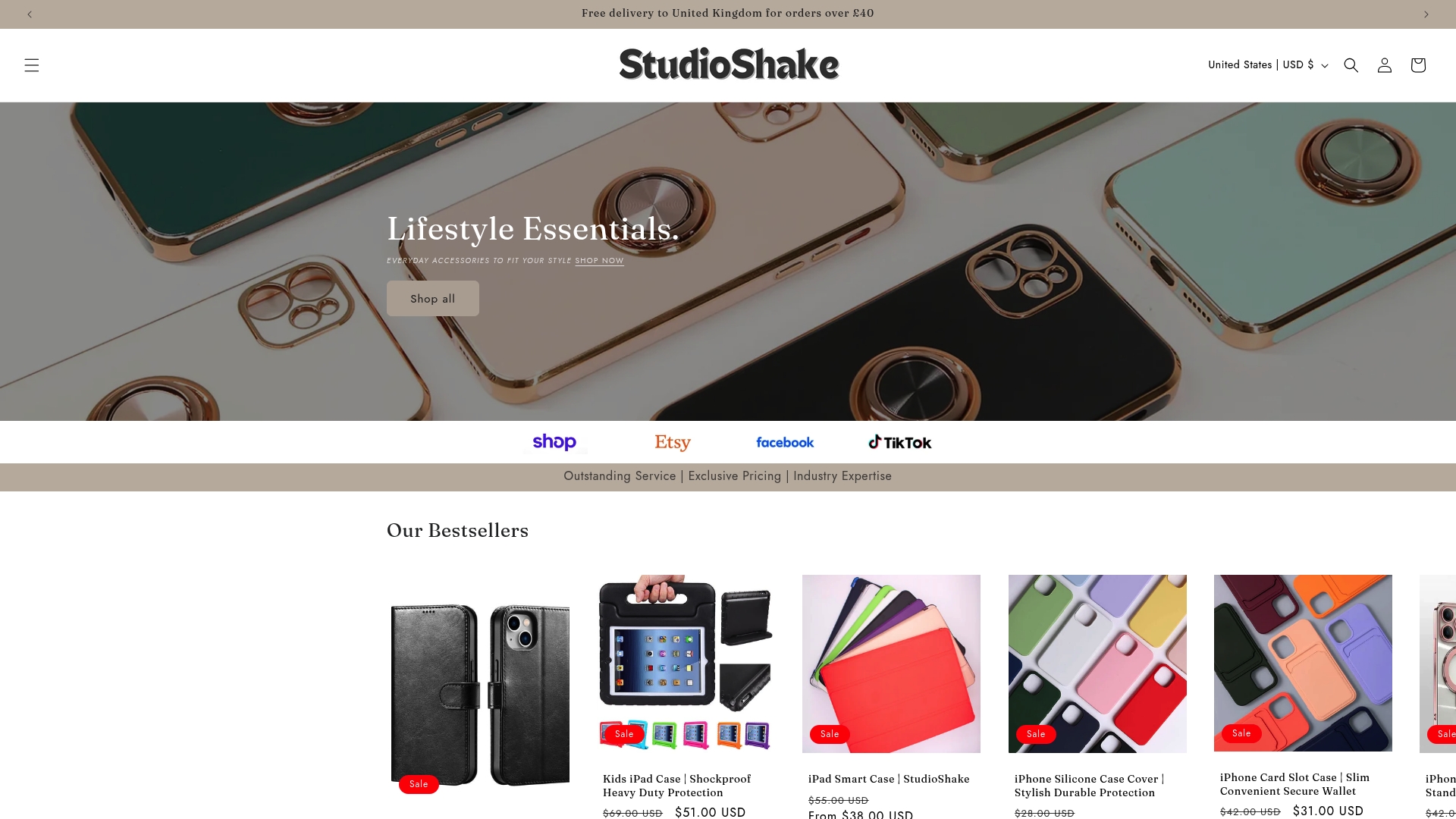
Take control of your comfort and device protection today. Visit Our Bestsellers – StudioShake now to explore popular ergonomic solutions and upgrade your setup with confidence. Embrace improved posture and ease your multitasking challenges by browsing the full collection at StudioShake.
Frequently Asked Questions
How do ergonomic phone holders help reduce neck and shoulder strain for parents?
Ergonomic phone holders elevate devices to eye level, preventing users from tilting their heads downwards. To minimise neck and shoulder strain, adjust your holder so that your device is directly in line with your gaze.
What should I consider when selecting a phone holder for my home?
When choosing a phone holder, look for features like adjustability, stability, and versatility to accommodate different activities and family members. Ensure it can adapt to various surfaces, such as kitchen counters or desks, to enhance usability in your dynamic household.
Why is portability important in phone holders for parents on the go?
Portable phone holders allow parents to easily transition between different environments without losing accessibility to their devices. Opt for a holder that is lightweight and folds compactly, making it simple to carry during daily activities or outings.
How can I ensure my phone holder supports good posture while multitasking?
To maintain good posture, position your phone holder at eye level, keeping your spine in a neutral position. Regularly check your alignment and make adjustments to your setup to avoid muscle fatigue and enhance comfort during extended use.
What features should I look for to enable easy access to charging while using a phone holder?
Choose a phone holder that allows unobstructed access to charging ports and features integrated cable management. This approach will help maintain continuous device usage without requiring you to remove your phone, ensuring it stays charged while you multitask.
Recommended
- Role of Phone Stands – Everyday Convenience Explained – StudioShake
- Complete Guide to Phone Ring Holders – StudioShake
- Phone Grip Accessories – Enhancing Everyday Device Safety – StudioShake
- 7 Smartphone Accessory Essentials for Busy UK Parents – StudioShake
- 7 Anwendungsbeispiele für Batterien im Alltag - accu.blog