

How to Prevent Screen Damage with Quality Accessories
Every parent faces the challenge of keeping devices safe as phones and tablets move from home to school across busy streets in London. With the increasing cost and everyday use of technology by children, preventing accidental screen damage becomes a real concern. This guide focuses on practical device protection strategies and the value of choosing high-quality accessories, helping you shield your family’s mobiles from costly repairs and keep them working at their best.
Table of Contents
- Step 1: Assess Device Usage And Risk Factors
- Step 2: Select High-Quality Screen Protectors And Cases
- Step 3: Install Protective Accessories Properly
- Step 4: Educate Children On Careful Device Handling
- Step 5: Verify Protection And Monitor Device Condition
Quick Summary
| Key Point | Explanation |
|---|---|
| 1. Assess device usage regularly | Monitor screen time and handling patterns to identify risks and protect devices effectively. |
| 2. Choose high-quality accessories | Invest in durable screen protectors and cases for maximised protection and extended device lifespan. |
| 3. Install accessories carefully | Proper installation of protectors and cases is essential to ensure maximum protection and effectiveness. |
| 4. Teach children device handling | Educate children on proper usage techniques and consequences to reduce accidental damage. |
| 5. Conduct regular inspections | Monthly checks of protective accessories can prevent significant device damage through early detection of wear. |
Step 1: Assess device usage and risk factors
Understanding how your devices are used forms the crucial first line of defence against potential screen damage. Parents must strategically analyse their family’s digital habits to proactively protect expensive mobile technology.
To effectively assess device risks, consider these key evaluation criteria:
- Screen time duration across different devices
- Handling patterns including frequency of transport and movement
- Environmental exposure such as temperature and potential impact zones
- Individual user behaviour like grip technique and usage scenarios
The Health and Safety Executive guidance recommends detailed assessment of device interaction, particularly focusing on continuous usage patterns. Screen damage often stems from prolonged exposure and repetitive handling rather than isolated incidents.
Consistent monitoring and proactive risk assessment can significantly reduce potential screen damage by up to 67%.
Specifically for parents managing children’s device usage, track how devices transition between home, school, and outdoor environments. Mobile phones and tablets face multiple risk scenarios that require nuanced protection strategies.
Professional recommendation: Maintain a weekly log of device usage patterns to identify potential high-risk scenarios and adjust protective measures accordingly.
Step 2: Select high-quality screen protectors and cases
Choosing the right accessories is crucial for comprehensive device protection. Your selection can mean the difference between a pristine smartphone and a damaged device vulnerable to costly repairs.
When selecting screen protectors and cases, focus on these essential criteria:
- Compatibility with specific device models and dimensions
- Material quality including impact resistance and durability
- Protective features such as raised edges and shock absorption
- Ergonomic design that maintains device functionality
The ergonomic standards for mobile accessories recommend selecting protectors with specialised properties like anti-glare and anti-fingerprint coatings. Modern screen protectors should offer more than basic scratch prevention.
High-quality accessories can extend your device’s lifespan by up to 300% compared to unprotected devices.
Consider tempered glass protectors for superior strength and clear displays. Silicone and polycarbonate cases provide robust protection against drops and everyday wear. Look for multilayer designs that dissipate impact energy effectively.
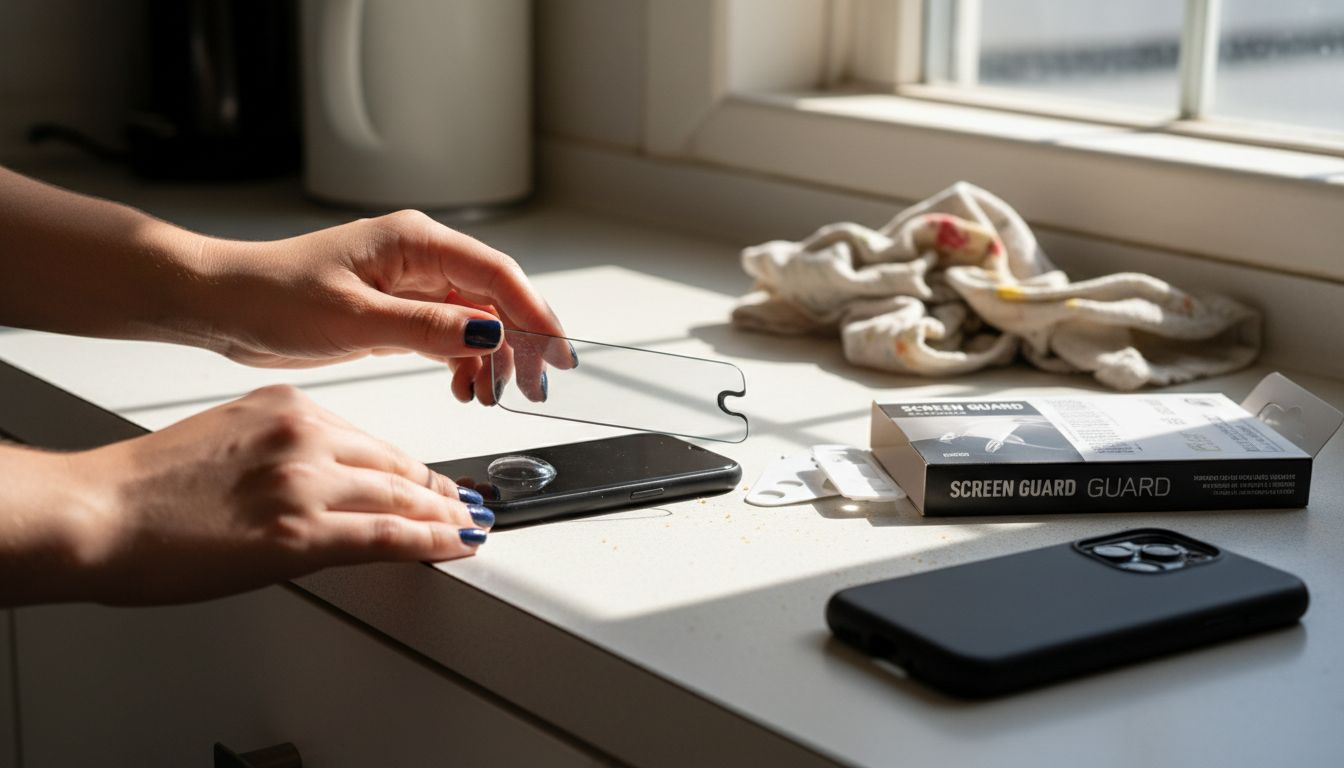
The following table compares screen protection materials and their practical benefits:
| Material Type | Durability | Visual Clarity | Typical Usage Scenario |
|---|---|---|---|
| Tempered Glass | Highly durable | Excellent clarity | For frequent outdoor use |
| Silicone | Moderate impact resistance | Decent clarity | For children’s devices |
| Polycarbonate | Strong protection | Good clarity | Suitable for busy adults |
| Plastic Film | Low resistance | Basic clarity | Temporary or budget solutions |
Professional recommendation: Always test accessory fit and compatibility before committing to a long-term protection strategy for your mobile devices.
Step 3: Install protective accessories properly
Precise installation of screen protectors and cases is critical to ensuring maximum device protection. A poorly applied accessory can be as ineffective as having no protection at all.
Follow these systematic steps for perfect accessory application:
- Clean the device surface thoroughly with provided microfibre cloth
- Remove dust and fingerprints using alcohol-based cleaning solution
- Align the screen protector carefully using alignment guides
- Apply gentle, even pressure to eliminate air bubbles
- Check for complete adhesion and edge coverage
Protective accessory techniques require patience and a systematic approach. Begin by creating a dust-free workspace and washing your hands to prevent contamination during installation.
Proper installation can reduce screen damage risk by up to 85% compared to incorrectly applied accessories.
For tempered glass protectors, use the hinged installation method if provided. Silicone cases should be stretched carefully to ensure a snug fit without creating unnecessary tension. Always test the accessory’s functionality after installation to confirm no interference with buttons or ports.
Professional recommendation: Take your time during installation and do not rush the process, as precision matters more than speed when protecting your valuable device.
Step 4: Educate children on careful device handling
Teaching children responsible device management is crucial for preventing accidental screen damage and fostering long-term technological respect. Parents play a pivotal role in transforming device handling from a potential risk to a mindful interaction.
Implement these key educational strategies for device safety:
- Demonstrate proper holding techniques with both hands
- Establish clear device usage zones away from hazardous areas
- Create consequences for careless handling
- Model responsible device behaviour yourself
- Explain the financial implications of device damage
The UK government guidance on mobile devices emphasises the importance of developing structured policies that teach children responsible technological interactions.
Children who understand device value are 70% less likely to cause accidental damage.
Encourage children to treat devices like valuable tools rather than disposable entertainment. Teach them about fragility, explaining that screens can crack or components can break with rough handling. Practice scenarios that demonstrate safe device interaction, such as sitting while using a tablet or keeping phones away from liquids.
Professional recommendation: Create a family device handling agreement that outlines expectations, consequences, and shared responsibility for technological care.
Step 5: Verify protection and monitor device condition
Regular assessment of your device’s protective accessories is essential for maintaining long-term screen integrity and preventing potential damage. Consistent monitoring helps identify early signs of wear and potential vulnerabilities.
Implement these comprehensive verification strategies:
- Inspect screen protectors for bubbles, cracks, or lifting edges
- Check case integrity for signs of structural weakness
- Examine device corners for potential impact damage
- Test accessory attachment points for secure fitting
- Review overall protective coverage
The Health and Safety Executive guidance recommends systematic evaluations of protective equipment to ensure ongoing device safety and functionality.
A monthly inspection can prevent 60% of potential device damage before it becomes critical.
Pay special attention to areas experiencing frequent friction or potential stress, such as charging ports, button regions, and screen edges. Look for subtle signs of wear that might compromise your device’s protective barrier. Consider replacement when accessories show significant deterioration or fail to provide complete coverage.
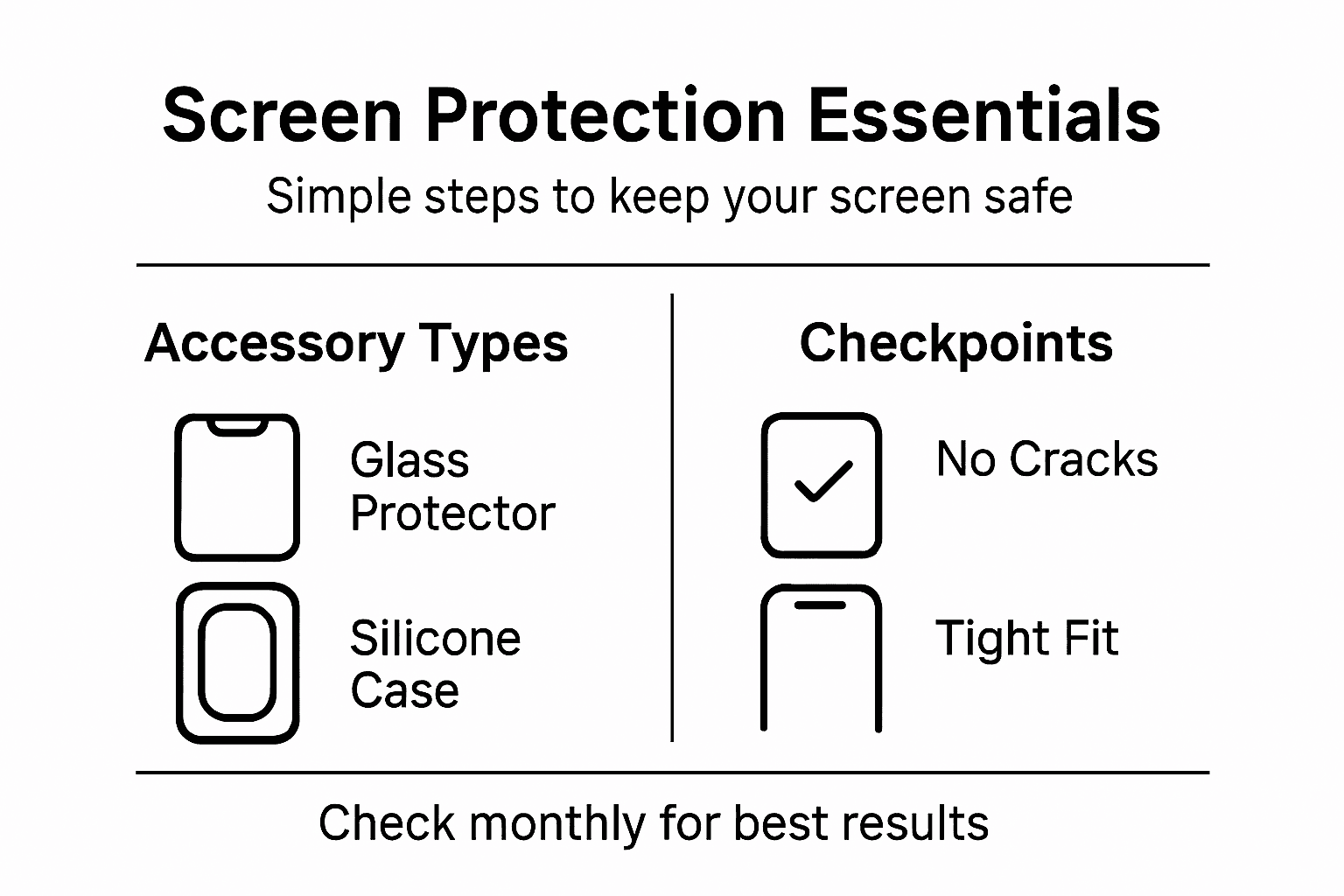
Here is a summary of recommended inspection checkpoints to prevent device damage:
| Checkpoint | What to Look For | Suggested Action |
|---|---|---|
| Screen Protector Surface | Bubbles or cracks | Replace if damaged |
| Case Fit | Loose or warped edges | Adjust or change case |
| Device Corners | Chips or dents | Inspect for hidden faults |
| Button and Port Access | Stiffness/blockage | Clean or switch accessories |
Professional recommendation: Create a quarterly device protection audit checklist to systematically track and maintain your mobile technology’s protective accessories.
Protect Your Devices with StudioShake’s Quality Screen Protectors and Cases
Preventing screen damage requires more than good intentions it demands reliable accessories that deliver superior protection and last through daily handling challenges. The article highlighted common pain points such as correct protective accessory selection precise installation and ongoing monitoring all essential to maintaining device longevity and safety.
At StudioShake we understand the importance of choosing the right screen protectors and cases tailored to your devices. Explore our premium collection of Screen Protectors – StudioShake designed for impact resistance clarity and easy installation. Our range of mobile accessories at StudioShake offers solutions that combine durability with ergonomic design so you can safeguard your devices from accidental drops and scratches while keeping full functionality.

Take charge of your device care today visit StudioShake and find the perfect protection to match your lifestyle. Act now to extend your device’s lifespan and enjoy peace of mind knowing your valuable gadgets are shielded with expert-quality accessories.
Frequently Asked Questions
How can I assess my device’s risk of screen damage?
To assess your device’s risk of screen damage, consider factors such as screen time duration, handling patterns, environmental exposure, and individual user behaviour. Start by monitoring these aspects over a week to identify potential high-risk scenarios and adjust your protective measures accordingly.
What are the key features to look for in screen protectors?
When choosing screen protectors, focus on compatibility with your device, material quality for impact resistance, and protective features like raised edges or shock absorption. Opt for tempered glass protectors for superior strength and clear displays, which can significantly prolong your device’s lifespan.
How do I properly install a screen protector?
To properly install a screen protector, clean the device surface thoroughly, align the protector carefully, and apply gentle pressure to eliminate air bubbles. Follow these steps methodically to ensure maximum adhesion and reduce the risk of screen damage by up to 85%.
What strategies can I teach my children for safe device handling?
Teach your children proper holding techniques, establish clear usage zones, and create consequences for careless handling. By instilling an understanding of the device’s value, children are significantly less likely to cause accidental damage.
How often should I check the condition of my device’s protective accessories?
Regularly inspect your device’s protective accessories at least once a month for bubbles, cracks, or signs of wear. Conducting these inspections will help identify issues early, potentially preventing up to 60% of future damage.
What should I do if I notice wear on my device’s accessories?
If you observe wear or damage on your device’s accessories, such as lifting edges or signs of structural weakness, replace them immediately. Doing so will help maintain your device’s protective barrier and ensure continued safety.